How to Create a Web3 Crypto Wallet? Step-by-Step Guide for Beginners 2026
Introduction
How to Create a Web3 crypto wallet means setting up a digital tool that lets you store, send, and receive cryptocurrencies. It gives you full control over your own money without needing a bank. A Web3 wallet also connects you to decentralized apps and blockchain networks.
Imagine having a wallet that no one can freeze or take away from you. That is exactly what a Web3 crypto wallet gives you. Once you create one, you become your own bank.
Setting up a Web3 wallet is easier than most people think. You just need to choose a wallet, install it, and save your secret recovery phrase. In just a few minutes, you are ready to send and receive crypto anywhere in the world.
“Not your keys, not your coins.” The golden rule of crypto ownership that every beginner must understand before entering the Web3 world.
Key Takeaways
| Topic | Quick Answer |
|---|---|
| What is a Web3 wallet? | A non-custodial wallet you fully control |
| Who controls it? | You, no bank, no middleman |
| Best wallet for beginners | Trust Wallet, MetaMask, Coinbase Wallet |
| Is it free to create? | Yes most wallets are completely free |
| Biggest risk? | Losing your seed phrase |
| Can it access DeFi and NFTs? | Yes fully integrated |
What Is a Web3 Crypto Wallet?
Think of a web3 crypto wallet like a digital passport. It doesn’t just hold your money it holds your identity in the blockchain world. Every time you interact with a decentralized application, buy an NFT, or swap tokens on a DeFi platform, your wallet is right there making it happen. It’s your gateway, your signature, and your vault all rolled into one.
A blockchain wallet stores something more valuable than coins. It stores your private keys the cryptographic proof that you own your assets. Without those keys, your crypto doesn’t move. With them, you’re unstoppable. The actual coins never sit inside the wallet itself. They live on the decentralized network, and your wallet simply proves you have the right to access them.
Here’s what makes a digital asset wallet different from your PayPal account or a bank app. There’s no company standing between you and your funds. No customer service to call if something goes wrong. No account freeze on a Monday morning. You are the bank. That’s the power and the responsibility of self-custody.
A cryptocurrency wallet in the Web3 world does far more than send and receive coins. It connects to the entire web3 ecosystem — from lending protocols to gaming platforms to decentralized exchanges. Your wallet address is your username, your account number, and your signature all in one. And unlike a bank account number, it never changes unless you create a new one.
Web3 Wallet vs Traditional Crypto Wallet
Most beginners confuse a centralized wallet with a true Web3 wallet. They’re not the same thing at all. A centralized wallet like the one inside Coinbase or Binance is run by a company. That company holds your private keys. That means they control your money, not you. It’s called third-party custody and it comes with real risks.
A self-custody wallet flips that model completely. You generate the keys. You store them. Nobody else touches them. That’s what wallet control really means in 2026. The custodial vs non-custodial wallet debate isn’t just technical it’s philosophical. Do you trust a company with your savings, or do you trust yourself?
| Feature | Centralized Wallet | Web3 Non-Custodial Wallet |
|---|---|---|
| Who holds private keys? | The company | You |
| Can account be frozen? | Yes | No |
| dApp access | Very limited | Full access |
| DeFi access | Restricted | Complete |
| NFT storage | Sometimes | Always |
| Recovery options | Email/password reset | Seed phrase only |
| Wallet ownership | Shared | 100% yours |
The decentralized finance wallet model wins every time when it comes to true ownership. However, with great power comes great responsibility. Lose your seed phrase and there’s no reset button. That’s why this guide covers backup strategies in serious detail later on.
How Does a Web3 Wallet Work?
Here’s where most beginner guides get lazy. They skip the mechanics and jump straight to downloads. But understanding how your wallet works makes you a smarter, safer crypto user. So let’s break it down simply.
Every web3 wallet uses a pair of cryptographic keys. Your public key is like your home address — you share it freely so people can send you crypto. Your private key is like the key to your front door — you never share it with anyone, ever. Together, they enable wallet authentication and transaction signing on the blockchain.
When you send crypto to someone, your wallet uses your private key to sign that transaction. That signature proves to the entire decentralized network that you authorized the transfer. Nobody can fake that signature without your key. That’s what cryptographic security means in practice — math so strong that even the most powerful computers can’t break it.
Wallet connection to a dApp works through a handshake process. The app asks your wallet to prove who you are. Your wallet signs a message with your private key. The app verifies it. No passwords needed. No email required. That’s web3 login in action — and it’s genuinely revolutionary compared to the username-password model we’ve used since the 1990s.
Blockchain transactions are permanently recorded on a public ledger. Once confirmed, they can’t be reversed. That immutability is a feature, not a bug — but it also means you must double-check every detail before hitting send. The wrong address, the wrong network, and your funds are gone. Forever.
Core Features of Web3 Crypto Wallets
dApp Browser and Connectivity
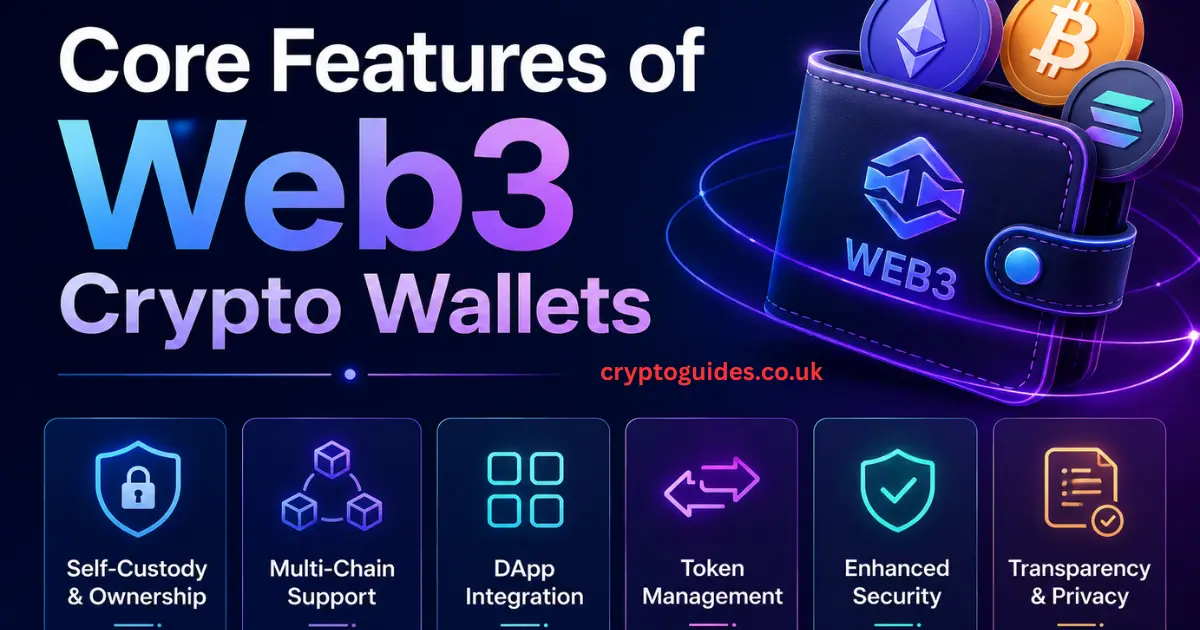
Every serious web3 crypto wallet comes with a built-in dApp browser or supports wallet connection via protocols like WalletConnect. This is what separates a Web3 wallet from a simple crypto storage app. Through this browser, you access Uniswap for token swaps, OpenSea for NFTs, Aave for lending, and hundreds of other decentralized applications — all without ever leaving your wallet app.
DeFi access through a wallet browser means you can earn yield, borrow against your crypto, and trade peer-to-peer without any middleman taking a cut. In the USA alone, DeFi platforms processed over $100 billion in transactions in 2024. That number keeps climbing. And every single one of those transactions started with a wallet connection.
Multi-Chain Support
The crypto world isn’t just Ethereum anymore. In 2026, a quality multi-chain wallet supports Ethereum, BNB Chain, Solana, Polygon, Avalanche, Arbitrum, and more. Cross-chain support means you don’t need five different wallets for five different networks. One wallet, all chains, one seed phrase.
Wallet integration across chains matters because different DeFi opportunities live on different networks. Gas fees on Ethereum might be high on a busy day, so you jump to Arbitrum instead. Your multi-chain wallet makes that seamless. Without it, you’re stuck on one chain and missing opportunities everywhere else.
Token Standards and NFT Support
Not all tokens are built the same. ERC-20 covers fungible tokens like USDC and LINK. ERC-721 covers unique NFT storage tokens like your CryptoPunk or Bored Ape. ERC-1155 handles both in one contract — perfect for gaming assets. A good web3 wallet reads all of these standards automatically and displays your assets correctly.
NFT storage in a wallet doesn’t mean the image lives inside your app. It means your wallet holds the ownership proof on the blockchain. The image might live on IPFS or a server somewhere, but the ownership record is permanent and cryptographic. That distinction matters if you ever see your NFT image “disappear” — your ownership likely still exists.
Transaction Management
Crypto asset management inside a wallet goes beyond just checking your balance. You can review your full blockchain transactions history, set custom gas fees when the network is busy, and even speed up or cancel a pending transaction before it confirms. These features sound advanced but become essential within your first week of active use.
Requirements Before Creating a Web3 Wallet
Before you dive into the web3 wallet setup process, make sure you have everything ready. Starting unprepared is the number one reason beginners make costly mistakes.
| Requirement | Why It Matters |
|---|---|
| Smartphone or computer | Where you’ll install the wallet application |
| Stable internet connection | Needed for download and blockchain sync |
| Secure password | Protects local wallet access |
| Pen and paper | For writing your seed phrase backup |
| Safe storage location | For keeping your recovery phrase offline |
| Small amount of crypto (optional) | For paying gas fees on first transactions |
| Crypto exchange account (optional) | For funding your wallet later |
One thing most guides never mention — your mental state matters too. Don’t set up your wallet when you’re rushed, tired, or distracted. The seed phrase step requires your full attention. Mess it up and there’s no fixing it later.
Types of Web3 Crypto Wallets
Browser Extension Wallets
A browser extension wallet lives inside your Chrome, Firefox, or Brave browser as a small plugin. MetaMask wallet is the king here with over 30 million active users worldwide. Rabby Wallet is its smarter, security-focused cousin that shows you exactly what a transaction will do before you sign it. Coinbase Wallet (different from the Coinbase exchange app) also falls into this category.
These are hot wallets always connected to the internet. That makes them convenient for daily DeFi use but slightly more exposed to online threats than offline alternatives. They’re perfect for active traders and DeFi users who connect to decentralized applications regularly throughout the day.
Mobile Crypto Wallets
A mobile crypto wallet lives on your phone. Trust Wallet owned by Binance but fully non-custodial supports hundreds of blockchains and is arguably the most beginner-friendly option available in 2026. Phantom Wallet dominates the Solana ecosystem. Best Wallet is rising fast for its all-in-one features including built-in swaps and portfolio tracking.
Mobile wallets combine convenience with portability. You carry your entire decentralized wallet in your pocket. The tradeoff is that if your phone gets stolen and your seed phrase is compromised, your funds are at risk. That’s why your recovery phrase must always live offline — never on the phone itself.
Hardware Wallets with Web3 Support
A hardware wallet — also called a cold wallet — is a physical USB-like device that stores your private keys completely offline. Ledger and Trezor are the two dominant names here. They connect to Web3 through companion apps or MetaMask integration, giving you the security of cold storage with the accessibility of a hot wallet.
If you’re holding significant crypto — say, more than $1,000 worth — a hardware wallet is worth every penny of its $79–$149 price tag. The offline nature means hackers can’t remotely access your keys. You physically confirm every transaction on the device itself. That’s an extra layer of cryptographic security that software wallets simply can’t match.
MPC-Based Enterprise Wallets
MPC wallet technology Multi-Party Computation splits your private key into multiple fragments held by different parties. No single fragment is enough to sign a transaction alone. Cobo’s Agentic Wallet (CAW) leads this space, designed specifically for institutions and AI agent workflows. Fireblocks serves major exchanges and hedge funds using the same MPC model.
For individual beginners, MPC wallets are overkill. But for US-based businesses, crypto funds, or DAOs managing treasury assets, MPC removes the single point of failure that makes traditional wallets risky at scale. It’s the Fort Knox of crypto asset management.
Smart Contract Wallets
A smart contract wallet is controlled by code rather than a simple key pair. Safe (formerly Gnosis Safe) is the most trusted name here. These wallets enable multi-signature approval — meaning two out of three team members must sign before any transaction goes through. DAOs use them to manage community treasuries worth millions.
Smart contract interaction is baked into the wallet design itself. Account abstraction — the tech behind these wallets — allows features like gasless transactions, spending limits, and automatic transaction batching. This is the future of wallet design, and 2026 is the year it’s going mainstream.
Step-by-Step: How to Create a Web3 Crypto Wallet (2026)
This is the core section you came for. Follow every step carefully. Don’t skip anything especially the seed phrase part.
Step 1: Choose Your Wallet
For most US beginners reading this in 2026, start with either MetaMask wallet (for desktop/browser) or Trust Wallet (for mobile). Both are free, non-custodial, and battle-tested with millions of users. If you’re on Solana, go with Phantom Wallet instead.
Step 2: Download From the Official Source Only
This step sounds obvious. People still get it wrong. Go directly to metamask.io, trustwallet.com, or phantom.app. Never download a wallet application from a random Google ad, a Discord link, or a third-party app store listing. Fake wallet apps have drained millions from unsuspecting users. Bookmark the official site before you download anything.
Step 3: Install the App or Extension
For MetaMask, click “Add to Chrome” or your browser of choice. For Trust Wallet, download from the Apple App Store or Google Play Store — but verify the developer name matches the official brand. The account setup process begins the moment installation completes.
Step 4: Select “Create New Wallet”
Don’t click “Import Wallet” unless you already have an existing wallet. Fresh start? Click create new wallet. The app will walk you through the wallet initialization process from here.
Step 5: Set a Strong Password
This password protects local access to your wallet on that specific device. It’s not your seed phrase. It’s not a recovery tool. It simply locks the app on your phone or browser. Use a strong, unique password you don’t use anywhere else.
Step 6: Generate and Save Your Seed Phrase
Here it is. The most important moment in your entire crypto journey. The app will show you a generate seed phrase — usually 12 or 24 random words in a specific order. Write every word down, in order, on paper. Don’t type it into your phone’s notes app. Don’t take a screenshot. Don’t email it to yourself. Write it on physical paper and store it somewhere safe.
Step 7: Confirm Your Recovery Phrase
The wallet will test you. It’ll ask you to select words in the correct order to confirm you wrote them down. Pass this test and your wallet verification is complete.
Step 8: Your Wallet Is Ready
Welcome to Web3. Your wallet address a long string starting with 0x for Ethereum — is now active. Share this address to receive crypto. Never share your private key or seed phrase with anyone who asks, ever.
Seed Phrase Backup Guide
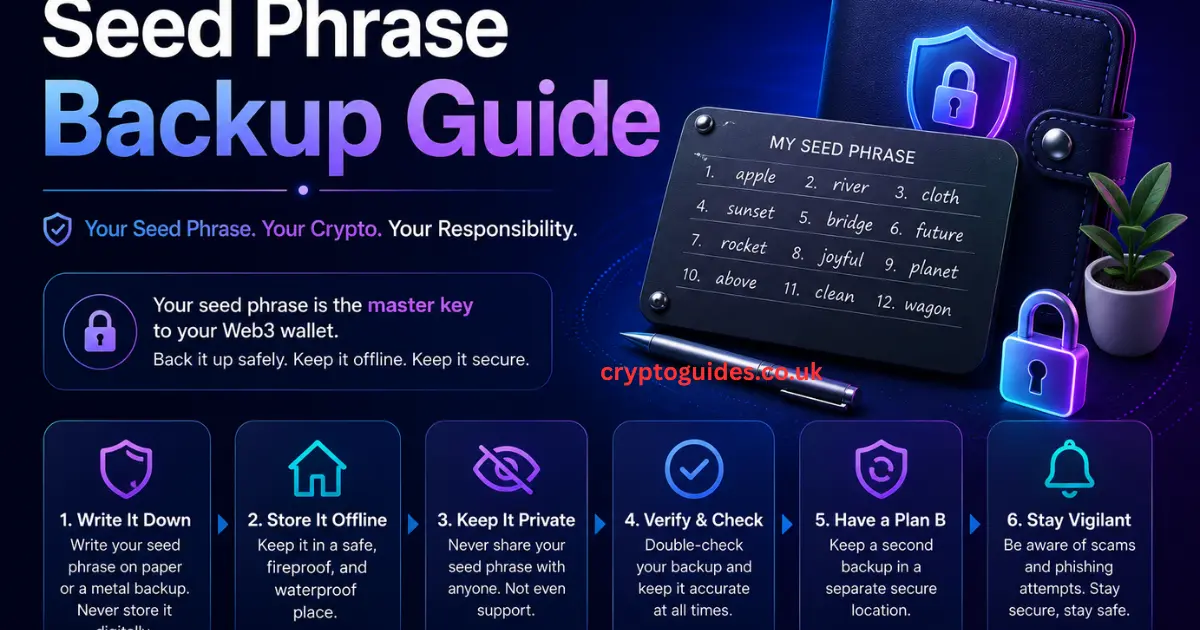
Your recovery phrase is the master key to your entire crypto life. Lose it and you lose everything — permanently. Nobody can help you. Not the wallet company. Not the blockchain developers. Not even the most advanced recovery service in the world.
Secure storage methods for your seed phrase in 2026:
| Method | Security Level | Cost | Recommended? |
|---|---|---|---|
| Paper (single copy) | Medium | Free | Partially |
| Paper (two locations) | High | Free | Yes |
| Metal backup plate | Very High | $30–$80 | Strongly yes |
| Password manager | Low | Varies | No |
| Screenshot/photo | Very Low | Free | Absolutely not |
| Cloud storage | Very Low | Free | Absolutely not |
Offline backup on a metal plate brands like Cryptosteel or Bilodeau protects against fire, water, and physical damage that destroys paper. For anyone holding meaningful crypto, this $40 investment is non-negotiable. Store one copy at home and one in a separate location like a safe deposit box. Two copies, two locations, zero digital traces.
How to Fund Your Wallet
Your shiny new self-custody wallet starts empty. Here’s how to change that without confusion.
The simplest method for US users is using an on-ramp service directly inside your wallet. Trust Wallet and MetaMask both integrate with services like MoonPay, Transak, and Ramp Network. You buy cryptocurrency with your debit card or bank transfer, and it lands directly in your decentralized wallet within minutes. Fees typically run 1–3% on these services.
Alternatively, transfer crypto from a centralized exchange like Coinbase, Kraken, or Binance US. Deposit funds into your exchange account first using a bank transfer. Then buy the crypto you want — ETH is the most useful starting point for Ethereum-based wallets. Then withdraw to your wallet address. Always double-check the wallet address and the network before hitting confirm. Sending ETH on the BNB Chain network to an Ethereum wallet address is a common mistake that costs beginners real money.
Understanding blockchain network fees called gas fees is essential before your first transfer. Gas fees pay the network validators who confirm your transaction. They fluctuate based on network congestion. On Ethereum, gas can range from $0.50 to $50 depending on the time of day. Cheaper alternatives like Polygon or Arbitrum charge fractions of a cent. Check Etherscan’s gas tracker before sending large transactions on Ethereum.
How to Connect a Wallet to a dApp
Wallet connection to a decentralized application is easier than it sounds. Here’s the standard flow that works across almost every Web3 platform.
Visit any DeFi site Uniswap, Aave, OpenSea, whatever you want to explore. Look for a “Connect Wallet” button, usually in the top right corner. Click it. A menu appears showing wallet options. Select yours. Your wallet app opens and asks you to approve the connection. Review the wallet permissions it’s requesting. If it only asks to view your address that’s safe. If it asks to spend unlimited tokens be very careful. Approve the connection and you’re in.
Smart contract approval is different from connection. When you want to trade a token on Uniswap, you first approve that smart contract to access your tokens. This approval is a separate transaction with a small gas fee. It’s normal and necessary. But only approve contracts from legitimate, audited platforms. Approving a malicious contract is how people lose everything in DeFi rug pulls.
Blockchain interaction through a dApp always requires your wallet to sign transactions. Your wallet shows you the exact details what’s being sent, to which address, and what the estimated gas cost is. Read this every time. Don’t just click approve because you’re in a hurry. That habit will save you from costly mistakes.
Quick Guide: How to Use Best Wallet’s Web3 Features
Best Wallet has become one of the most talked-about beginner-friendly wallets of 2026 thanks to its clean interface and built-in tools. Download it from the official site, create your wallet using the steps above, and you’ll find a built-in dApp browser on the home screen. Tap it, type any DeFi platform URL, and connect instantly. No separate browser needed.
Swap Crypto Tokens Directly With Best Wallet
Best Wallet’s built-in token swaps feature lets you exchange one cryptocurrency for another without leaving the app. Tap “Swap,” select the tokens you want to trade, review the rate, and confirm. The wallet automatically finds the best rate across multiple DEX aggregators. Slippage — the acceptable price difference between quote and execution defaults to 0.5%. You can adjust this manually for volatile tokens or low-liquidity pairs.
Common Mistakes to Avoid
Learning from other people’s mistakes is the cheapest education in crypto. Here are the errors that drain wallets every single day across the USA.
Sharing your seed phrase is the number one cause of crypto theft. Nobody legitimate will ever ask for it. Not wallet support. Not a helpful Discord moderator. Not an airdrop verification site. Anyone asking for your recovery phrase is stealing from you. Full stop.
Phishing scams target crypto users constantly. A fake MetaMask site with a URL like “metamask-support.io” looks identical to the real thing. Always type wallet URLs manually or use bookmarks you created yourself. Browser extensions like Pocket Universe or Fire warn you about malicious sites before you connect.
Sending crypto to the wrong network is devastatingly common. Sending ETH using the BNB Chain network sends your funds to an address that exists on a different blockchain. Recovery is technically possible but requires advanced steps most beginners can’t execute. Always verify the network inside your wallet matches the network on the platform you’re using.
Fake wallet apps on app stores have stolen millions from users worldwide. Always verify the developer name, download count, and reviews before installing anything. When in doubt, go to the official website and follow their download link directly.
Security Considerations for Web3 Wallets
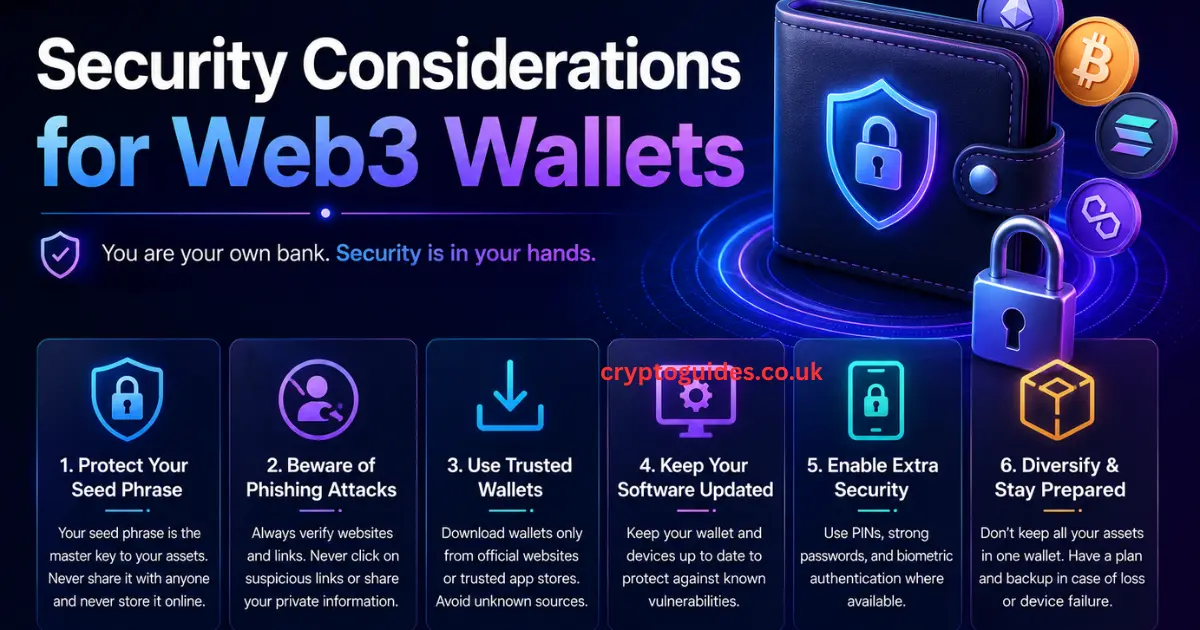
Smart Contract Risks
Every time you interact with a smart contract, you’re trusting code. Most code from established platforms is audited and safe. But new projects especially ones promising sky-high yields overnight often aren’t. Malicious smart contracts can drain your wallet the moment you approve them. Use tools like Revoke.cash to review and revoke unnecessary token approvals regularly. Think of it as cleaning out old permissions that could be exploited later.
Phishing and Social Engineering
Phishing scams in crypto are sophisticated in 2026. Scammers clone entire websites pixel-for-pixel. They send fake emails from addresses that look legitimate. They create Discord servers mimicking official communities. The defense is simple but requires discipline — always verify URLs, never click unsolicited links, and never share your seed phrase security information anywhere online.
Seed Phrase Security
Your backup wallet strategy begins and ends with your seed phrase. Treat those 12 or 24 words like the combination to a vault containing everything you own. Review your backup locations every few months. Make sure the paper hasn’t degraded. Make sure your metal plate is stored safely. Tell a trusted family member where the backup is — not the phrase itself, but the location — so it’s accessible if something happens to you.
Transaction Verification
Every transaction your wallet asks you to sign deserves a full read. What token is being sent? How much? To which address? What contract is being called? Extensions like Fire (for Chrome) decode smart contract calls into plain English so you understand exactly what you’re approving. This one habit actually reading transactions separates experienced Web3 users from victims.
Web3 Wallets for Different Use Cases
Individual Users
For everyday US crypto users in 2026, the ideal setup is a mobile crypto wallet like Trust Wallet for daily use paired with a Ledger hardware wallet for long-term storage. Keep small amounts in your hot wallet for active trading and DeFi. Move larger holdings to cold storage. This two-layer approach balances accessibility with security beautifully.
Developers and Builders
Developers need multiple wallets across different testnets. MetaMask’s network switching makes it the standard for Web3 development. Rabby Wallet adds transaction simulation showing what a transaction will do before it happens making it invaluable for testing smart contracts safely. Most builders maintain a dedicated “burner” wallet for testing so their main funds stay untouched.
Enterprises and Institutions
US companies managing crypto treasury need institutional-grade solutions. Cobo’s CAW, Fireblocks, and Anchorage Digital offer MPC wallet infrastructure with compliance reporting, role-based access controls, and insurance coverage. These platforms serve exchanges, hedge funds, and Web3 startups managing assets worth tens of millions. Security at this level means no single person can move funds alone — every transaction requires multiple approvals.
DAOs and Communities
Decentralized Autonomous Organizations manage community funds through smart contract wallets like Safe. The Ethereum Foundation, Uniswap DAO, and hundreds of smaller communities use Safe multi-sig wallets to ensure no single person can drain the treasury. Governance tokens determine who gets signing authority, creating a democratic layer over financial control that traditional finance simply can’t replicate.
How to Choose a Web3 Crypto Wallet
Essential Evaluation Criteria
Choosing the right web3 wallet isn’t about picking the most popular name. It’s about matching the wallet’s features to your actual needs. Security track record matters enormously — has the wallet ever been exploited? Has it been independently audited? Is the code open source so the community can verify its safety? These questions matter more than slick marketing.
Supported chains determine what you can actually do with the wallet. If you’re deep in Solana DeFi, Phantom Wallet beats MetaMask for that ecosystem. If you want everything in one place, Trust Wallet’s 100+ chain support is hard to beat. Check that your preferred networks and token standards are supported before committing.
Questions to Ask Before Choosing
Is it non-custodial — meaning you control your private keys? Has it been audited by a reputable security firm? Does it support the specific blockchains and tokens you use? How large and active is its community? Is there a history of transparent communication when security issues arise? Does it have a clear privacy policy that doesn’t sell your data?
Recommended Approach
Start simple. Download Trust Wallet or Coinbase Wallet for your first web3 wallet setup. Learn the basics. Get comfortable with sending, receiving, and connecting to dApps. Once you’ve held crypto for a while and your holdings grow, invest in a Ledger hardware wallet for cold storage. If you’re building or managing funds for a team, layer in Safe or an MPC solution. Grow your security stack as your crypto life grows.
Best Web3 Wallets for Beginners: Comparison (2026)
| Wallet | Type | Best For | Chains Supported | NFT Support | Free? | Open Source? |
|---|---|---|---|---|---|---|
| MetaMask wallet | Browser Extension | DeFi Power Users | 20+ EVM | Yes | Yes | Yes |
| Trust Wallet | Mobile | Beginners | 100+ | Yes | Yes | Yes |
| Coinbase Wallet | Mobile/Extension | US Beginners | 20+ | Yes | Yes | Yes |
| Rabby Wallet | Browser Extension | Security-Focused | 20+ EVM | Yes | Yes | Yes |
| Phantom Wallet | Mobile/Extension | Solana Users | Solana, ETH | Yes | Yes | Partial |
| Ledger (hardware) | Cold Wallet | Long-term Holders | 50+ | Yes | No ($79+) | Partial |
| Safe | Smart Contract | DAOs/Teams | 12+ | Yes | Yes | Yes |
| Cobo CAW | MPC Enterprise | Institutions | Multi-chain | Yes | No | No |
The Future of Web3 Wallets
Account Abstraction
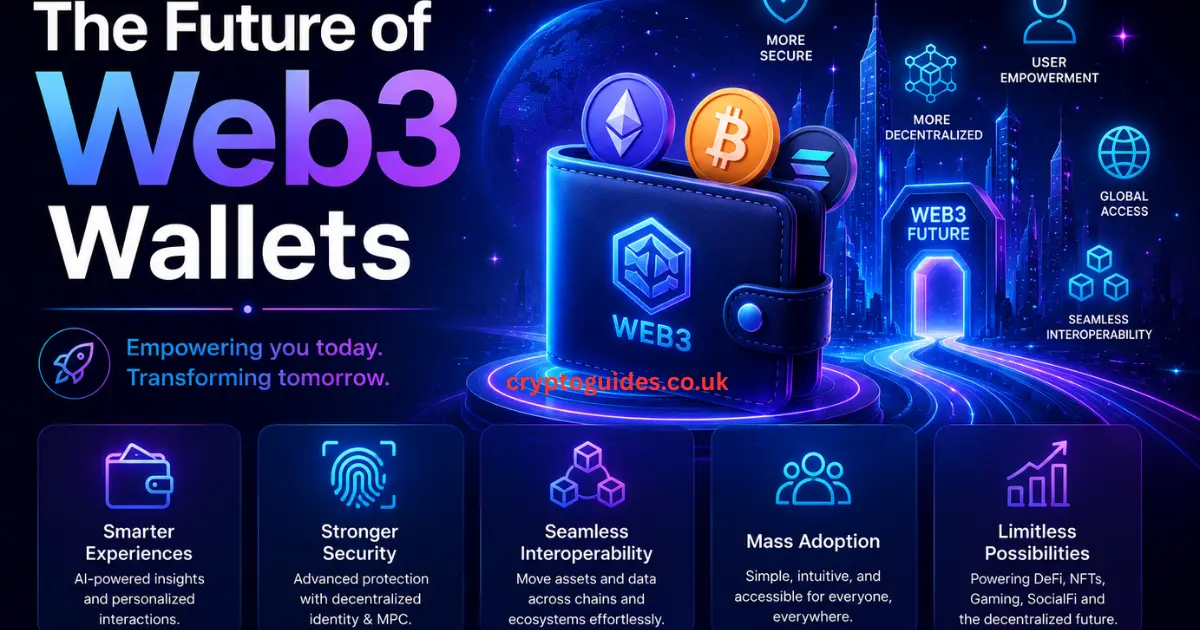
EIP-4337 — Ethereum’s account abstraction standard — is quietly revolutionizing how wallets work. In the old model, every wallet is a simple key pair. With account abstraction, wallets become programmable. You can set spending limits. You can designate a recovery contact. You can pay gas fees in stablecoins instead of ETH. You can even allow trusted contacts to help recover your wallet without exposing your seed phrase. This isn’t science fiction — it’s live on Ethereum today and growing rapidly.
Embedded Wallets
Embedded wallets are the next big shift in how to set up a web3 wallet experience. Instead of downloading a separate app, your wallet lives inside the platform you’re already using — a game, a social app, a marketplace. Services like Privy, Dynamic, and Magic let developers embed wallet creation directly into their onboarding flow. Users create a create web3 wallet experience without ever seeing a seed phrase — recovery happens through email or social login instead.
Cross-Chain Improvements
Chain abstraction is the technical frontier that makes cross-chain support invisible to the end user. In 2026, projects like Particle Network and Agoric are building systems where you don’t choose a network — the wallet chooses for you based on fees and availability. You just send money. The wallet handles the routing. It’s the difference between knowing which highway to take versus just saying “take me to downtown.”
Enhanced Security
AI-powered scam detection is arriving in wallets across the ecosystem. These systems analyze transaction patterns in real time and flag suspicious activity before you confirm. Biometric transaction signing — using your fingerprint or face ID to approve blockchain transactions — is already standard on mobile wallets. The combination of AI monitoring and biometric confirmation creates a security layer that’s genuinely difficult to breach.
Conclusion
How to Creating a web3 crypto wallet is one of the most empowering things you can do in 2026. It hands you full control over your financial life in a way that banks simply don’t allow. You become the sole owner of your digital asset wallet. You access the full web3 ecosystem DeFi, NFTs, dApps, token trading on your own terms.
The steps aren’t complicated. Choose a reputable wallet. Download it from the official source. Write down your seed phrase on paper and protect it with your life. Set a strong password. Fund your wallet and start exploring. Start small. Learn by doing. And never, under any circumstances, share your private keys or recovery phrase with anyone.
The web3 wallet setup process takes about ten minutes. The financial freedom it unlocks lasts a lifetime. Start today your future self will thank you.
FAQ
What is a Web3 crypto wallet and how does it differ from a regular crypto wallet?
A web3 crypto wallet is a non-custodial wallet that gives you complete ownership of your private keys and digital assets. A regular crypto wallet like the one inside a centralized exchange is custodial, meaning the company controls your keys. The practical difference is enormous.
A custodial wallet can freeze your account, require identity verification to withdraw, or lose your funds if the company goes bankrupt. A Web3 wallet answers only to you. It connects directly to the decentralized network without any intermediary. Think of it as the difference between renting a safe deposit box at a bank versus owning your own vault.
What features should I look for in a Web3 wallet?
The most important features are non-custodial key control, multi-chain wallet support, a built-in dApp browser, NFT storage capability, and a solid security track record. For US beginners, ease of use and strong community support matter too.
Advanced users should also look for smart contract interaction tools, hardware wallet compatibility, and transaction simulation features like what Rabby Wallet offers. If you’re focused on DeFi, make sure the wallet supports the specific chains where your preferred protocols live.
Are Web3 wallets safe for storing large amounts of crypto?
Web3 wallet security depends almost entirely on how you protect your seed phrase. The wallet technology itself — using cryptographic security and private keys is extremely robust. The vulnerability is human. If you store your seed phrase digitally, someone can find it. If you use a hot wallet for large holdings, you’re exposed to online threats.
The safest approach for large amounts is a hardware wallet like Ledger combined with a metal seed phrase backup stored in two separate offline locations. That combination makes your holdings extraordinarily difficult to compromise.
Can I use a Web3 wallet for DeFi and NFTs?
Absolutely yes. DeFi access and NFT storage are the two core use cases that define web3 crypto wallets. Through your wallet’s dApp browser, you connect to lending platforms, decentralized exchanges, yield farms, and NFT marketplaces. Your wallet signs every transaction with your private key, proving ownership without needing a username or password.
Token swaps, liquidity provision, NFT minting, and governance voting all of it happens directly through your decentralized wallet without any third party involved.
What is the best Web3 wallet for enterprises?
For US enterprises and institutions, MPC wallet solutions like Cobo’s Agentic Wallet (CAW) and Fireblocks represent the gold standard. These platforms eliminate the single-point-of-failure risk of traditional wallets by splitting private keys across multiple secure parties.
They also offer compliance reporting, role-based access controls, and audit trails features that corporate treasury teams and regulated funds require. Safe (formerly Gnosis Safe) is the best choice for DAOs and smaller teams needing multi-signature wallet control without the enterprise price tag.
What is a Web3 wallet for beginners?
A web3 wallet for beginners is a user-friendly, non-custodial wallet that lets you store, send, and receive cryptocurrency while connecting to decentralized applications. Trust Wallet and Coinbase Wallet top the list for beginners in 2026 because of their simple interfaces, strong security, and built-in guides.
The key things to understand from day one are your seed phrase backup process and the importance of downloading only from official sources. Everything else DeFi access, NFT storage, token swaps comes naturally as you explore.
How to set up a Web3 wallet in 3 simple steps?
How to set up a web3 wallet boils down to three actions. First, download the official wallet app from the developer’s verified website or app store listing. Second, select “Create New Wallet,” set a strong password, and carefully write down your generate seed phrase on paper never digitally. Third, confirm your recovery phrase when prompted, and your blockchain wallet is live and ready to use. The entire account setup process takes less than ten minutes. From there, you can fund it, connect to dApps, and start participating in the web3 ecosystem immediately.
This article is for educational purposes only. Always conduct your own research before making any financial decisions involving cryptocurrency.

I am an SEO and Guest Posting expert with 5+ years of professional experience in building high-authority backlinks, strategic outreach, and scalable SEO campaigns, especially in the Crypto and Blockchain industry. Passionate about helping brands achieve sustainable organic growth, I specialize in guest posting, white-hat authority link building, content outreach, and digital PR strategies that enhance online credibility and search engine performance. Over the years, I have collaborated with international clients and global brands, delivering result-driven SEO solutions and placements on high-authority, high-DR websites focused on increasing organic traffic, domain authority, and online visibility in competitive markets.